 Number 314 - July 2009 |





|
| Backup -- The Ware Essential to Your Computer | |
|
by Larry Cohen, Member at Large, ICON PCUG, NYJan2009 www.iconpcug.org president (at) iconpcug.org This article has been obtained from APCUG for publication by APCUG member groups; all other uses require the permission of the author (see e-mail address above). | |
|
Last month I wrote about traditional backup programs. I will continue the discussion with free driver backup programs. As you are aware, drivers are small programs that associate your hardware with your operating system. It is particularly useful to have these programs if you have to re-install windows either from the manufacturer's restore disk or a new install of windows. It avoids the hassle of having to go to each manufacturer's website and download one-by-one drivers. Driverback.bat This is a batch file from PCWorld magazine to backup all device drivers. Here are the directions from PCWorld: Once it's on your system double click the file to create your backup. The batch file copies the drivers (and a lot of extra files) to a folder called 'driverback inside My Documents. Use your CD authoring software to copy the contents of this folder to a CD. To reinstall the drivers, use either Device Manager or Control Panel's Add Hardware applet to open Update Wizard. If the Wizard doesn't automatically look for drivers on the CD, point to the CD drive when asked for a location. It can be downloaded at: www.pcworld.com/49366 Figures 1, 2, and 3 show the program 'doing its thing'. 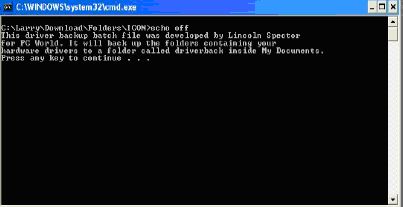
Figure 1 - The Opening Screen 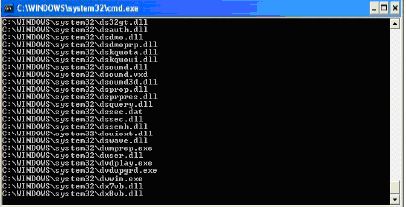
Figure 2 - Scanning 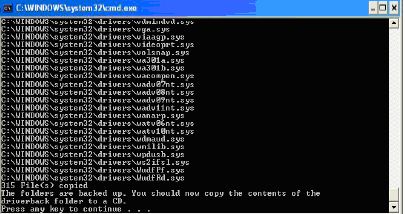
Figure 3 - The Finish |
DriverMax This is a wonderful easy to use sophisticated backup tool that allows you to either set up a login account to retrieve drivers or export them to a zip file that you would copy to a CD for later installation. Here is a description from the DriverMax website: "DriverMax is a new tool that allows you to download the latest driver updates for your computer. No more searching for rare drivers on discs or on the web or inserting one installation CD after the other. Just create a free account, log in, and start downloading the updates that you need. You can also export all your current drivers (or just the ones that work ok) to a folder or a compressed file. After reinstalling Windows you will have everything in one place! [Underlining added] Most of the situations when Windows is running slower are caused by faulty driver installations. Windows stores all versions of older drivers just in case you want to go back; sometimes it messes up older versions with more recent ones. The Export Wizard will only export the drivers you select by copying the needed files to a folder or a compressed ZIP file. After reinstalling Windows all drivers will be back in place in less than 5 minutes - sparing you of searching, inserting disc after disk and losing precious time. The Import Drivers wizard allows you to install all the drivers that you exported earlier. The entire operation might take up to 5-10 minutes. Just one single computer restart will be required after all drivers are reinstalled! Note: DriverMax only works on Windows Vista, Windows XP and Windows 2003 (all service packs). Driver downloads are *only* available for Windows Vista and Windows XP users." 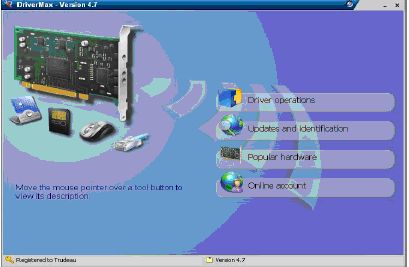
Figure 4 - The DriverMax Main Window Figure 4 illustrates the opening screen that is the gateway to every available subprogram. It can be found at: www.innovative-sol.com/drivermax Note: After starting the program, it does require free registration which is acquired from the above web site. Larry Cohen is a Professor Emeritus of Mathematics at Nassau Community College and is a Member-At-Large of the ICON Executive Board. This article originally appeared in The Examiner, Beaumont, TX, |
|
Number 314 - July 2009
|
|