 Number 271 - December 2005 |





|
| Windows Security Center Problem in Windows XP | |
| by Carl Tenning, Tacoma Open Group For Microcomputers | |
|
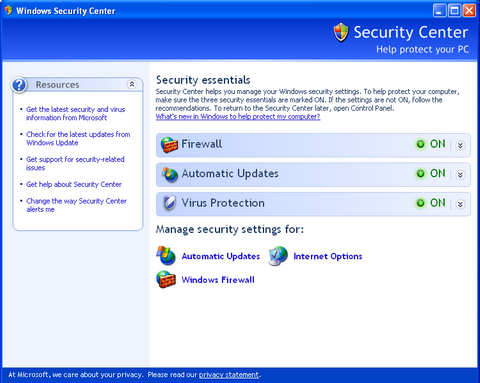
Windows Security Center monitors the status of the computer firewall, automatic updates, and antivirus protection. It is normally accessed from an icon on the Control Panel. It can also be accessed by clicking on "Start", "Run" and entering "wscui.cpl" (without the quotes). Figure 1. In the two years that I have been operating with Windows XP, Windows Security Center has operated pretty much in the background. But just recently, something has caused Windows Security Center to be disabled on my computer. I discovered this when attempting to log into my dial-up Internet Service Provider, MSN. It popped up a warning that Windows Security Center was stopped and asked whether I wanted to continue anyway. When I went to the Windows Control Panel and double clicked on the Security Center icon, it came up with a message that Windows Security Center had been stopped or not started and recommended that I re-start the service, but it didn't tell me how. Researching this using Google, I found that Windows services can be accessed by clicking "Start", "Run", and typing "services.msc" (without the quotes). It showed a long list of services on my machine and whether each was "Automatic", "Manual", or "Disabled". The services are listed with five columns, "Name", "Description", "Status", "Startup Type", and "Log On As". To make finding Windows Security Center easier, I clicked on the "Startup Type" column header and it sorted out all the Disabled services. Sure enough, there was "Windows Security Center" shown as disabled. Right clicking on it and selecting Properties, allowed me to change the Startup Type from "Disabled" to "Automatic". I also found that the WMI Performance Adapter was disabled and changed that to "Automatic". Then after restarting the computer, I no longer received the MSN warning that Windows Security Center was not running. |
|
|
Number 271 - December 2005
|
|