 Number 251 - April 2004 |




|
| How I Hid IE's Preview Pane and Learned To Cope With SPAM | |
|
by Bob Thomson with help from Ray Mills, Tacoma Open Group for Microcomputers | |
|
I have been using
computers most of my adult life and am a founding member of this group.
Just to prove the point that we are all beginners at something--or maybe
it was just yet another "senior moment"--anyway I had to admit that I
didn't know how to solve a problem we all have with e-mail, namely SPAM.
The following is a summary of a Q&A session I had by e-mail with
Ray Mills. Ray had given an answer to a similar question in the Q&A
session at a recent meeting. I tried his solution (which was given in
reference to Outlook) and it didn't work with Internet Explorer, so I
asked the question below:
Q. When my Internet Explorer opens it displays two "panes". The upper one lists the names of e-mail senders and the status, subject and date of each message. The lower panel opens and displays the currently selected message, sometimes displaying attached images as well. 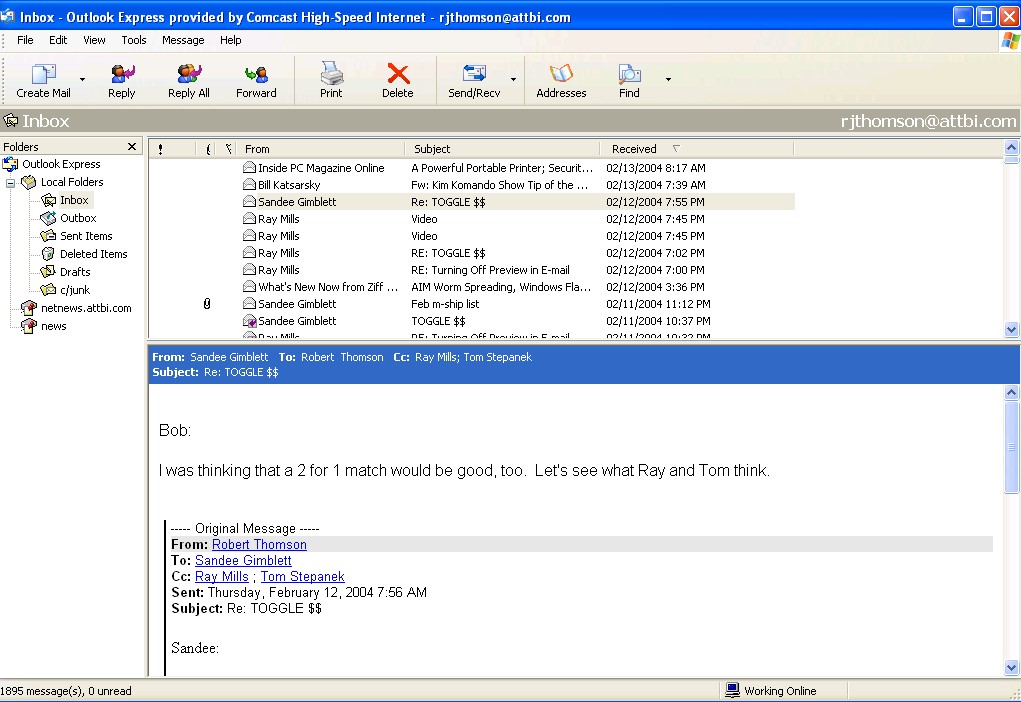
Often, these days, I get unsolicited e-mail (SPAM) which I know I want to delete. I can recognize these messages as something I want to delete because a) I don't recognise the sender's name and b) the subject line is often garbled or otherwise a "give-away". I can delete the message by selecting it and Right-Clicking the mouse to reveal a drop-down menu with Delete as one option. However, when I Right-Click on the message to invoke the drop-down menu the message opens before I can select Delete, thus activating any "bugs" it might carry or any message sent back to the sender that validates my address. How can I delete these messages without opening them? 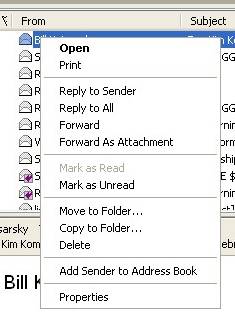
|
A. In Internet
Explorer click View and on the drop-down menu click Layout and the
Windows Layout Properties window will open. In the Preview Pane area
select the options you want.
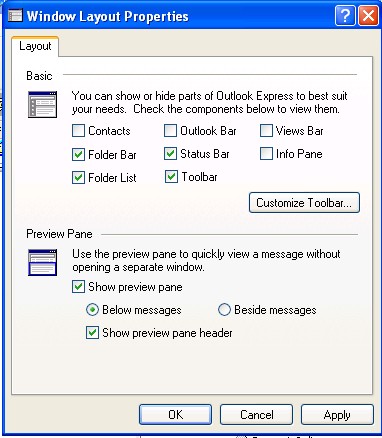
If you uncheck Show Preview Pane only the e-mail sender's information will be displayed, not the message. 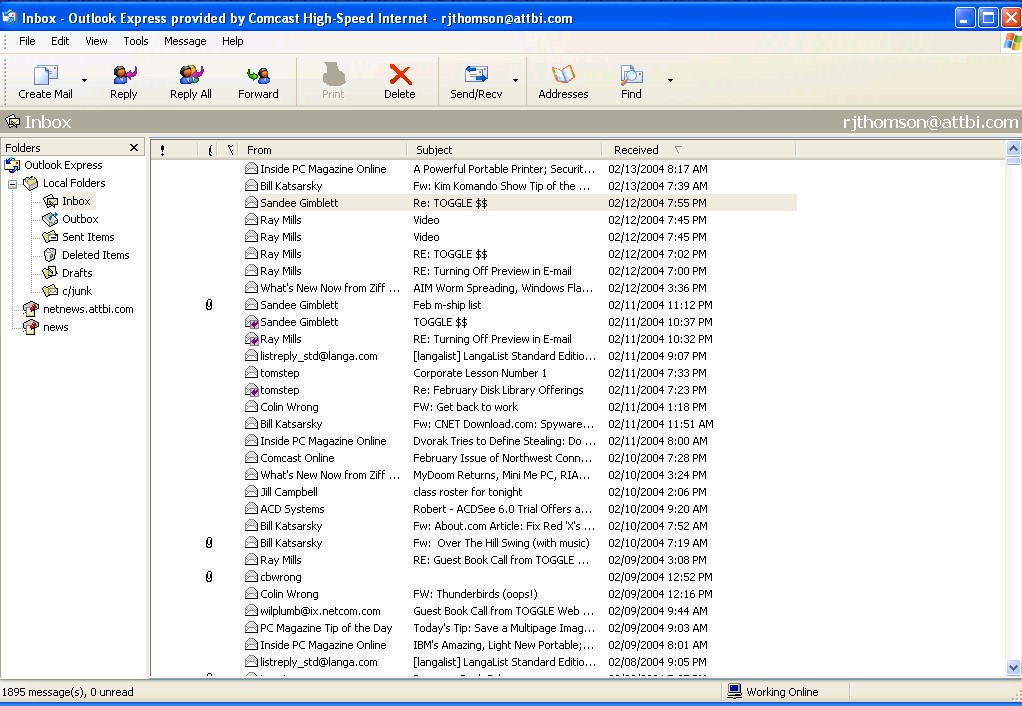
To read each message you must Double Click the left mouse button on the entry. That message will then open in a separate window. Alternatively, you can Right-Click and select Open. If you don't want to read it but wish to delete it, instead of Double Clicking the left mouse button, you can Right-Click on the item and select Delete from the drop down menu. That message will be deleted. Since you didn't Left double click on the item, it is deleted without opening. This suggests that you should always Right Click to avoid accidentally opening an undesired e-mail. By the way, if you do want to display it, you can also configure the Preview Pane to be displayed beside the messages rather than below them. See Jean Wilcox's answer to this problem in the next article |
|
Number 251 - April 2004
|
|