Review PartitionMagic 8 by Alan Mildwurm DVPC
|
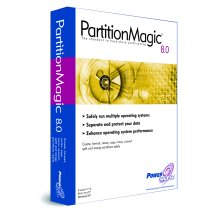
Ifirst saw PartitionMagic several years ago at Comdex. I think it was version 2. A small table was set up at an APCUG event and there was a sign exclaiming the virtues of this newly revised program. Neither Steve nor I had heard of PartitionMagic and neither of us truly believed the claims that this program could work with disk partitions without destroying data. We all knew about FDISK, so we knew this program*s claims couldn*t be done. We decided to attend the demo to see what the story was. Of course the program ran in DOS and not Windows, which was to be expected since many utilities in those early days of Windows dropped back to DOS. (This was so long ago; I think Gene Barlow was still with IBM but I*m not completely sure about that!). Amazingly, the program worked. Jump ahead to Partition Magic 8 Power- Quest*s latest iteration of this MUST HAVE utility. Of course PartitionMagic still allows you to manage your hard drive*s partitions but it does so much more and is so easy to install, configure and use. Included with Partition Magic is BootMagic, which allows you to safely install and run several operating systems on the same system. Additionally, PQBoot enables you to select which OS will st4rt the next time you reboot windows. Also included with PartitionMagic is the Power- Quest Datakeeper. PowerQuest Data-Keeper monitors your file activity in the background and automatically backs up and protects your data, including multiple versions of the same file. As in previous versions, PartitionMagic allows you to fine tune your system performance by converting to a more efficient file system, changing clusters, etc. I used the Cluster Analyzer to improve my drive*s efficiency. Additionally there is now support for larger partition sizes up to 160 GB! And the ability to enlarge an NTFS partition without rebooting. I tried this and it works! The new File Browser lets you browse, move, copy folders or files from one partition to another—even hidden partitions! So, how hard is it to create a partition? Let*s see: 1. Select a block of unallocated space on your hard drive. 2. In the Partition Operations pane, click "Create." 3. From the "Create As" drop-down list, select the desired type for the partition (Logical or Primary). It is suggested that for data you use "logical" and "primary" for an OS. 4. From the "Partition Type" drop-down list, select the desired file system type. Enter a name if you want. 5. In the "Size" field, enter the desired size for the partition. (You can select by percentage of space). PartitionMagic will make a recommendation, which you can accept. 6. Review (or change in NT, 2000, XP) the Drive Letter assignment. 7. You can specify the position (begin or end of space) of the partition if the new partition is smaller than the available space. 8. Select cluster size for the new partition or let PartitionMagic do it for you. 9. Click OK to apply your changes. We*re done! Step by step wizards are available to accomplish several of the tasks. I am very impressed at how comprehensive and user friendly this program is. I was amazed back in the days of version 2 and I am not disappointed with version 8! Often new versions will shovel in unneeded stuff which just bloats the program. That isn*t the case here. The new features are all useful and expand upon an already excellent piece of software. PartitionMagic supports Windows95B and up including NT. It also supports Linux Ext3 partitions, USB2 and FireWire. This is a must utility! You can download a trial version from the PowerQuest website (www.powerquest .com) OR buy it at a special user group price for $35.00 (the manufacturers suggested retail price is $69.95). Vegas next year Nov. 15 - 20, 2003 (to dispel rumors), and I believe it will still exist there, but we’ll see. |